

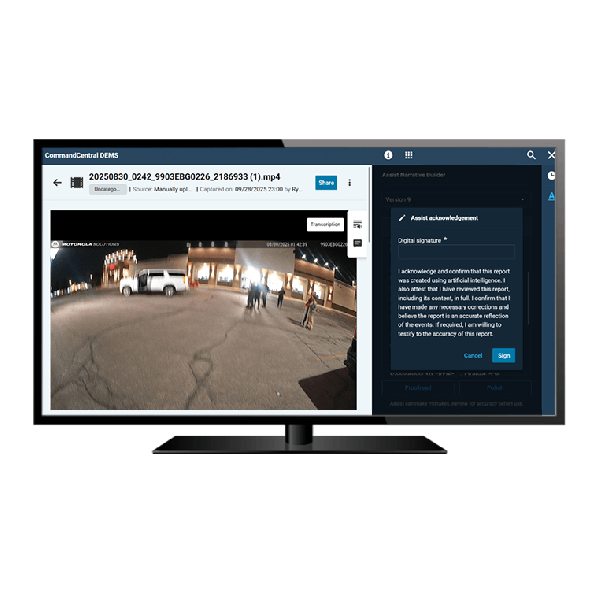
Motorola CommandCentral DEMS
Maximize the value of your digital evidence
Motorola Solutions CommandCentral DEMS is a cloud-based digital evidence management system designed to securely capture, store, manage, and share digital evidence across public safety and enterprise organizations. It centralizes evidence from body-worn cameras, in-car video systems, interview rooms, and third-party sources into a single, searchable platform.
Built for scalability and interoperability, CommandCentral DEMS streamlines evidence workflows, strengthens chain of custody, and enables faster, more secure collaboration between agencies, legal teams, and stakeholders. Its cloud-native architecture reduces IT overhead while delivering high availability, advanced security, and seamless integration with the broader Motorola Safety and Security Ecosystem.
-
Advanced Search And Metadata Tagging
Quickly locate evidence using metadata fields, timestamps, geolocation, case numbers, or AI-assisted tagging. Reduce time spent manually sorting and retrieving files.
-
Automated Chain Of Custody Tracking
Every interaction with evidence is logged, creating a complete audit trail. Track uploads, edits, views, and exports to maintain accountability and evidentiary integrity.
-
Centralized Evidence Management
Aggregate digital evidence from multiple sources into one unified platform. Manage video, audio, images, and documents with consistent workflows and access controls across your organization.
-
Evidence Sharing And Redaction
Securely share evidence with prosecutors, defense teams, or external agencies. Built-in redaction tools allow you to blur faces, mute audio, and protect sensitive information before distribution.
-
Integration With Video And Data Sources
Seamlessly integrates with Motorola body-worn cameras, in-car video systems, interview room solutions, and third-party evidence sources for a connected ecosystem.
-
Scalable Cloud Architecture
Designed to scale with your organization. Handle increasing volumes of high-resolution video and data without performance degradation.
-
Secure Cloud Storage
Store evidence in CJIS-aligned cloud infrastructure with redundancy, automatic backups, and encrypted storage to ensure data integrity and availability.
-
Workflow Automation
Automate evidence ingestion, categorization, retention policies, and notifications. Streamline processes to reduce manual workload and improve consistency.
Performance Characteristics
Data Storage And Management
- Storage Type: Object-based storage optimized for large media files
- Scalability: Virtually unlimited storage capacity with dynamic scaling
- Data Redundancy: Multi-zone replication with automatic failover
- File Types Supported: Video (MP4, proprietary formats), audio, images (JPEG, PNG), documents (PDF, DOC)
- Retention Policies: Configurable automated retention and deletion rules by case, user, or agency policy
Deployment Model
- Type: Cloud-native SaaS platform
- Architecture: Multi-tenant, distributed cloud infrastructure
- Hosting Environment: Secure public cloud with regional redundancy and failover
- Availability: High availability architecture with uptime SLAs typically ≥ 99.9%
Evidence Ingestion
- Supported Inputs:
- Body-worn cameras
- In-car video systems
- Fixed video systems
- Mobile uploads and manual file imports
- Upload Methods: Docking stations, wireless upload, browser upload, API ingestion
- Ingestion Speed: Optimized for high-throughput video uploads with bandwidth management
- Metadata Capture: Automatic and manual metadata tagging during ingestion
Integration And Interoperability
- Native Integrations: Motorola body cameras, in-car video, interview room systems
- Third-Party Integration: Open APIs for RMS, CAD, and third-party evidence systems
- Data Exchange: Secure API-based data sharing and ingestion
- Ecosystem Integration: Works within Motorola Safety and Security Ecosystem including dispatch and situational awareness tools
Network And Bandwidth
- Bandwidth Optimization: Adaptive upload throttling and compression support
- Streaming: Adaptive bitrate streaming for video playback
- Connectivity Requirements: Reliable broadband connection recommended for optimal performance
- Offline Handling: Buffered uploads for intermittent connectivity environments
Redaction And Editing
- Video Redaction: Frame-by-frame redaction including face blurring and object masking
- Audio Redaction: Selective muting of sensitive audio segments
- Export Formats: Redacted and original versions preserved separately
- Processing: Server-side processing to maintain file integrity
Search And Retrieval
- Search Capabilities: Metadata-based, time-based, keyword, and filtered search
- Indexing: Automated indexing of uploaded evidence
- AI Capabilities: Optional AI-assisted tagging and object recognition (when enabled)
- Playback: In-browser playback with frame-level scrubbing and timeline navigation
- Export Options: Secure export with audit tracking and watermarking options
Security And Encryption
- Encryption At Rest: AES 256-bit encryption for all stored data
- Encryption In Transit: TLS 1.2 or higher for all data transfers
- Access Control: Role-based access control with granular permissions
- Authentication: Supports multi-factor authentication and SSO (SAML 2.0 compliant)
- Audit Logging: Immutable audit logs for all user and system activity
- Compliance Alignment: CJIS Security Policy aligned, with support for regional compliance requirements
System Administration
- User Management: Centralized admin console for roles and permissions
- Policy Management: Configurable retention, access, and sharing policies
- Reporting: Usage analytics, audit reports, and system activity logs
- Notifications: Automated alerts for uploads, shares, and policy triggers
User Interface And Accessibility
- Access Method: Web-based interface via modern browsers
- User Experience: Dashboard-driven interface with customizable views
- Device Support: Desktop, tablet, and mobile browser compatibility
- Localization: Multi-language support (where applicable)